Tags
To write a mobile app requirements document, define the business outcome and users first, then document journeys, scope, functional and quality requirements, data and integrations, acceptance criteria, ownership, and change control.
A mobile app requirements document turns a business idea into a versioned agreement about users, workflows, scope, quality, data, integrations, ownership, and acceptance. It gives owners and delivery teams a shared basis for estimates, priorities, testing, change decisions, and a responsible handoff after launch.
This guide focuses on the product requirements document itself. It complements LeWebsite resources about first-version scope, timeline, team roles, backend requirements, and launch readiness without replacing those distinct planning decisions.
Include the business outcome, target users, core journeys, functional requirements, data and integration rules, security and privacy needs, accessibility, performance, analytics, support expectations, ownership, constraints, priorities, assumptions, exclusions, acceptance criteria, approvers, and change process. Every important statement should be specific enough to estimate, build, test, or reject.
A useful document is not a list of screen names or a polished mockup. It connects business value to observable behavior. Each requirement should answer why the capability matters, who needs it, what must happen, what can fail, how completion will be proven, and who accepts the evidence.
| Requirement area | Question to answer | Evidence before approval | Risk if omitted |
|---|---|---|---|
| Business outcome | Which measurable customer or operational problem will the app improve? | Baseline, target, owner, and measurement method | Features ship without a useful business result |
| Users and journeys | Who performs each task, in which context, and with which permissions? | Roles, journey maps, exceptions, and approved prototypes | The product fits imagined users instead of real work |
| Functional behavior | What must happen before, during, and after each action? | Acceptance criteria and end-to-end test cases | Developers and reviewers interpret scope differently |
| Quality attributes | How fast, available, accessible, secure, and supportable must it be? | Thresholds, test environments, and measured results | “Works” becomes the only quality standard |
| Ownership and handoff | Who controls accounts, code, data, releases, documentation, and support? | Access inventory, repositories, runbooks, and transfer checklist | The business becomes dependent on one person or vendor |
“The app should be easy to use” is an aspiration. “A returning customer can repeat a previous order in three steps without reentering delivery details” is testable. Replace vague adjectives with users, conditions, actions, boundaries, measurable thresholds, and evidence that a business owner can review.
Estimates often depend on assumptions about content, devices, languages, integrations, migration, compliance, and staff availability. Record them beside explicit exclusions. An unspoken assumption becomes a surprise change request; a visible assumption can be verified before pricing or scheduling depends on it.
A business product owner should own priorities and outcomes; subject-matter experts should validate workflows; design, engineering, security, analytics, and operations should review applicable requirements; and one named approver should accept scope. The document must remain versioned, traceable, and accessible after the original agency or employee leaves.
Ownership does not mean one person writes every line. It means one accountable person resolves conflicts, protects the outcome, and records decisions. A small business can use a compact team, but it cannot distribute accountability so widely that nobody can approve a requirement or reject a risky shortcut.
For each section, name the decision owner, contributors, reviewers, and final approver. The mobile app team roles guide explains how product, design, engineering, quality, security, and operational responsibilities can remain explicit even when several roles are combined.
Record a version number, date, editor, approval state, linked prototype, open questions, and decision history. Requirements should change deliberately as the team learns. A static file emailed before development quickly becomes less trustworthy than the code, backlog, and conversations that replaced it.
Describe real user groups, their goals, work context, frequency, devices, connectivity, language, accessibility needs, permissions, and failure consequences. Separate customers, staff, managers, administrators, support agents, and external partners when their capabilities differ. Base priorities on valuable jobs and observed constraints rather than demographic labels alone.
A persona can help teams remember context, but it should not become fictional decoration. Pair each role with concrete jobs, current workarounds, information needs, high-risk errors, and success evidence. Field technicians, store managers, patients, drivers, and customers can require very different offline, privacy, speed, and support behavior.
For every role, list which records it can view, create, change, approve, export, or delete. Include tenant, location, team, and ownership boundaries. Requirements should describe what happens when access changes, an employee leaves, a device is lost, or a privileged action needs review.
Identify low connectivity, shared devices, small screens, older operating systems, bright outdoor use, assistive technology, interrupted sessions, and time-sensitive work where relevant. These conditions can change navigation, storage, synchronization, authentication, notifications, and testing. They are product requirements, not late cosmetic adjustments.
Map each priority journey from trigger to confirmed outcome, including prerequisites, decisions, alternate paths, errors, recovery, notifications, and downstream records. Then connect features to those journeys instead of maintaining an isolated wish list. A feature belongs in scope only when it supports a named user outcome or operational obligation.
Start with the smallest complete workflow that delivers value. A booking feature may require availability, identity, confirmation, cancellation, reminders, staff visibility, and reconciliation; a single calendar screen is not the full capability. Journey maps expose dependencies that screen inventories and feature names tend to hide.
Keep the long-term vision, first release, later candidates, and rejected ideas in separate sections. The first-version planning guide shows how to choose a narrow, complete workflow instead of shipping disconnected fragments of many future features.
Every proposed screen should support one or more journey steps, system states, permissions, or recovery actions. Screens without a traceable purpose may be unnecessary. Journeys without a screen, message, background action, or staff process may reveal a missing requirement rather than a design problem.
Write functional requirements as observable behavior under defined conditions, then add acceptance criteria covering success, validation, permissions, errors, retries, empty states, duplicate actions, and recovery. Use consistent identifiers so requirements connect to designs, backlog items, tests, releases, and decisions. Avoid prescribing implementation unless a genuine constraint requires it.
A useful pattern is: given a known starting state, when a named user performs an action, then the system produces a specific outcome. Add examples for boundaries and failure states. Requirements do not need theatrical formality; they need enough precision that two qualified reviewers reach the same conclusion.
Specify which devices, environments, accounts, datasets, integrations, and reviewers are required for acceptance. Evidence may include automated tests, recorded demonstrations, accessibility results, API responses, analytics events, store builds, restore drills, or reconciled reports. “Developer says complete” is not an independent acceptance method.
Document required fields, formats, ranges, duplicates, conflicts, time zones, permissions, and user-facing messages. State what remains saved after interruption and how a user continues. The happy path usually consumes the least support time; ambiguous failure behavior creates expensive incidents after launch.
Define measurable expectations for performance, availability, reliability, offline behavior, scalability, compatibility, accessibility, localization, security, privacy, maintainability, observability, backup, recovery, and support. Apply thresholds to critical user journeys and realistic devices or networks. Generic words such as fast, scalable, secure, and intuitive cannot be accepted or priced consistently.
Not every app needs extreme targets. A warehouse scanner, public marketplace, internal approval tool, and appointment app have different consequences when slow or unavailable. Choose thresholds from business impact and realistic usage, then identify who measures them and under which load, device, connectivity, and dependency conditions.
Google’s core app quality guidelines provide current Android expectations across user value, technical quality, privacy, and security. Platform guidance is a baseline, not a substitute for product-specific thresholds and acceptance evidence.
Classify workflows as critical, important, or convenient. A delayed promotional image and a duplicated payment do not deserve the same response. This classification guides test depth, monitoring, rollback, redundancy, support escalation, and investment without pretending every feature requires mission-critical infrastructure.
List important entities, authoritative systems, fields, relationships, lifecycle states, retention, deletion, export, synchronization, and audit needs. For each integration, define purpose, ownership, authentication, limits, webhooks, retries, duplicate handling, reconciliation, sandbox behavior, failure messages, and exit plans. Mobile screens, backend rules, and connected platforms must agree.
The requirements document should identify interfaces and business behavior without prematurely locking every technical choice. A separate mobile app backend requirements guide covers API contracts, system-of-record decisions, authentication, reliability, deployment, monitoring, and recovery in greater depth.
State whether the app backend, CRM, ERP, payment processor, scheduling platform, or another system owns each record. Document conflict rules and timing. Without an authoritative source, the same customer, order, inventory item, or appointment can develop contradictory states across mobile and staff tools.
When a payment, map, messaging, identity, or CRM provider is slow, define pending, confirmed, failed, reversed, and unknown behavior. Specify what users see, whether retries are safe, who receives alerts, and how reconciliation resolves uncertainty. “Connected to the API” does not complete the requirement.
Document data classification, least privilege, authentication, authorization, encryption, secrets, logging, retention, deletion, incident response, vendor access, secure development, and verification. Add applicable legal or contractual obligations and accessibility criteria for supported journeys. Requirements must reflect actual data, users, geography, industry, and risk—not copied compliance labels.
NIST’s Secure Software Development Framework organizes practices for preparing, protecting, producing, and responding to vulnerabilities. Use applicable practices as planning and evidence inputs, while involving qualified legal, privacy, accessibility, or security specialists when the product’s risk warrants them.
The Web Content Accessibility Guidelines 2.2 provide testable accessibility criteria that can inform mobile experiences, and Apple’s accessibility guidance describes platform-specific design considerations. Define which criteria apply, how native controls and assistive technologies will be tested, and who accepts results.
For each personal or confidential field, record why it is needed, where it comes from, where it travels, who can access it, how long it remains, and how deletion or export works. Include logs, analytics, crash reports, support exports, backups, and test copies.
Color contrast and labels matter, but acceptance should cover complete tasks with keyboard or switch access where applicable, screen readers, text scaling, focus order, motion settings, error identification, and clear language. Test on representative devices and operating systems, not only in a static design file.
Define the decisions analytics must support, event names, properties, consent behavior, identity boundaries, validation, ownership, retention, and reporting. Separately define operational monitoring, logs, alerts, severity, escalation, maintenance, release ownership, support channels, response targets, and incident communication. Product measurement and system health solve different problems and need separate acceptance evidence.
Start with a short measurement plan tied to the business outcome. Track journey starts, meaningful progress, completion, abandonment, error states, and downstream results where lawful and useful. Avoid collecting every tap without a decision owner; noisy data increases privacy exposure and rarely improves the product.
Document who receives user reports, required diagnostic details, triage categories, response expectations, escalation paths, store-review monitoring, and after-hours boundaries. The mobile app launch checklist connects support readiness with privacy, analytics, store submission, release controls, and post-launch monitoring.
Every alert needs a threshold, owner, channel, severity, runbook, and resolution signal. Monitor completed business workflows, integration queues, authorization failures, crashes, latency, data reconciliation, backups, and releases where relevant. An unread inbox full of warnings is not an operational control.
Prioritize requirements by user value, business impact, risk, dependency, confidence, and effort; then label the committed release, later candidates, and exclusions. Route changes through an owner who records rationale, estimate impact, timing, acceptance changes, and approval. A requirements document should enable learning without allowing invisible scope expansion.
Simple labels such as must, should, could, and not now can work when the team defines them consistently. The critical discipline is tradeoff visibility. Adding a feature can affect data, permissions, screens, integrations, testing, analytics, training, support, schedule, and cost—not merely add one backlog card.
For each proposed change, identify the user outcome, affected requirements, designs, data, integrations, risks, tests, documentation, schedule, and price. The product owner can then accept, defer, swap, or reject the change with a complete view rather than approving it from a screenshot or chat message.
Record important decisions, date, owner, alternatives, rationale, affected requirements, and follow-up. A concise log prevents the team from reopening settled debates and helps future operators understand why the product behaves as it does. It also distinguishes an approved change from an informal suggestion.
Give every bidder the same approved outcomes, journeys, scope, assumptions, constraints, quality targets, integrations, deliverables, acceptance evidence, ownership terms, and open questions. Ask vendors to state exclusions, dependencies, team roles, schedule logic, change process, support model, and pricing basis. Comparable inputs produce more useful proposals and expose uncertainty early.
A detailed document does not guarantee a fixed price when discovery remains incomplete. It makes uncertainty visible. Vendors can separate confirmed scope, validation work, options, allowances, and risks instead of hiding assumptions inside one attractive total. Compare reasoning and evidence, not only hours or a final number.
Include source code, repositories, designs, content, schemas, API documentation, infrastructure records, tests, analytics plans, release instructions, store access, vendor accounts, runbooks, known limitations, and training where applicable. Delivery is incomplete if the business receives an app build but cannot operate or transfer it.
The mobile app development timeline explains how requirements, design, implementation, testing, store review, and launch dependencies affect delivery. Estimates should show phases, decision deadlines, client inputs, validation windows, and uncertainty instead of presenting one unexplained completion date.
Business owners usually ask who writes the document, how long it should be, whether prototypes can replace requirements, when estimates become reliable, and whether requirements may change. The practical answer is to document enough testable decisions for the product’s risk while keeping ownership, versions, evidence, and tradeoffs explicit.
A product owner normally owns it, while users, subject-matter experts, designers, engineers, quality specialists, security reviewers, analytics owners, and operations staff contribute relevant decisions. An agency can facilitate and draft the document, but the business must validate workflows, priorities, constraints, and acceptance responsibilities.
There is no correct page count. A focused internal workflow may need a concise document plus diagrams and acceptance criteria; a regulated multi-role product needs more detail. Judge completeness by decision coverage, traceability, testability, and operational handoff—not by length, template sections, or the number of screenshots.
No. A prototype can clarify layout, navigation, content, and interactions, but it rarely defines permissions, validation, data authority, integrations, offline behavior, security, analytics, performance, recovery, ownership, or support. Link prototypes to written requirements and acceptance criteria so visual intent and system behavior remain aligned.
An estimate becomes more reliable when priority journeys, scope, assumptions, integrations, quality targets, acceptance evidence, client responsibilities, and open risks are understood. Early estimates should be ranges with explicit uncertainty. A precise number built on unresolved requirements is not more trustworthy because it has fewer decimal places.
Yes. Discovery, testing, market feedback, platform rules, and technical constraints can justify change. Record the decision and assess effects on scope, design, data, integrations, security, tests, schedule, and price. Controlled change improves the product; undocumented change hides tradeoffs and makes acceptance arbitrary.
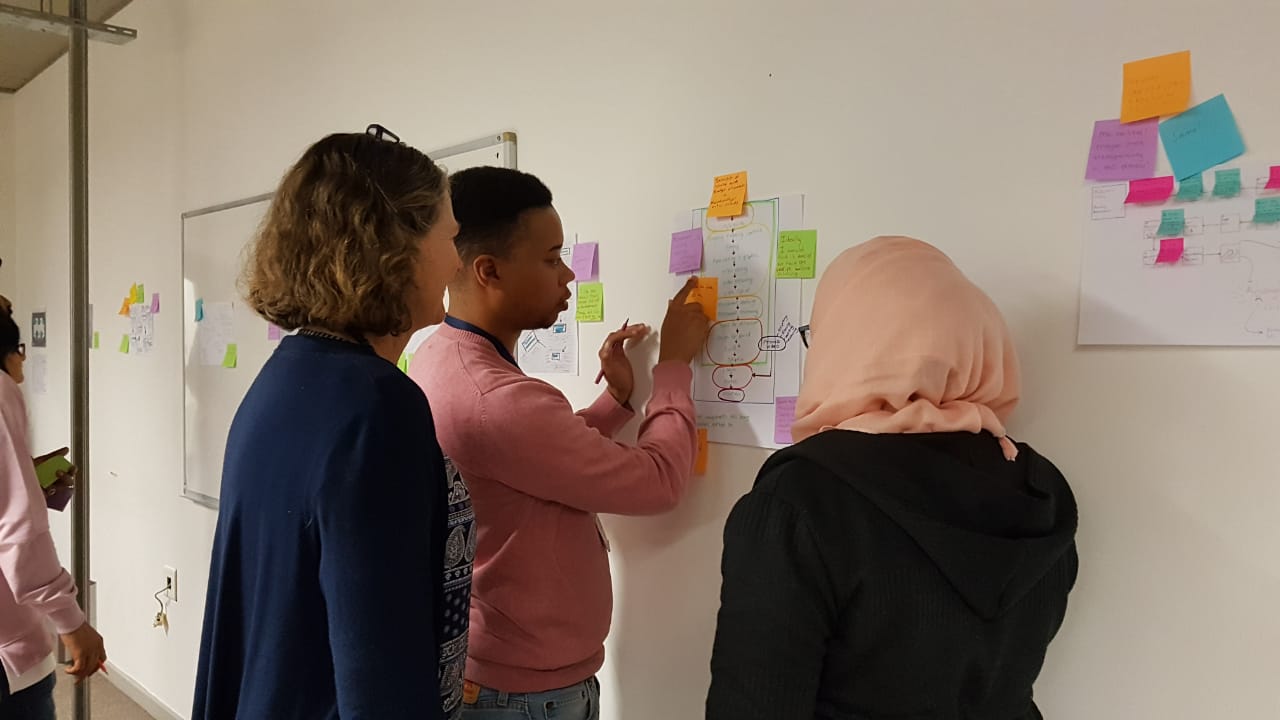
Run a bounded requirements workshop, validate the highest-value journeys with real stakeholders, record assumptions and exclusions, define acceptance evidence, and resolve the riskiest open questions before requesting final proposals. Then version the approved document, assign ownership, connect it to delivery artifacts, and maintain a decision log throughout development.
If your business needs a product brief, requirements workshop, prototype, architecture plan, or implementation estimate, review LeWebsite’s custom app development service and contact LeWebsite. We can turn the product idea into an accountable scope before ambiguous requirements become expensive rework.
Reviewed August 22, 2026. Next scheduled content review: February 22, 2027.
Thinking past the document? See how we scope and price custom software development.
If this article raised questions about your own site, book 20 minutes with Francisco or send us a WhatsApp. No commitment, no long forms.
Or by phone: +1 (713) 396-5007 · +503 7931-1403
Subscribe to our
newsletter.
Get valuable strategy, culture, and brand insights straight to your inbox.
By signing up to receive emails from Motto, you agree to our Privacy Policy. We treat your info responsibly. Unsubscribe anytime.